📍 WeatherMapping - Location Selector (Station Mapping Tab)
The Location Selector in the Weather Station Mapping tab gives users complete control over where their maps and analyses are generated - whether it’s a single country, a global region, or a user-defined custom area. It’s designed to make navigating weather data fast, flexible, and intuitive.
There are three location modes available:
Predefined Areas: Quickly load common groupings such as United States (CONUS) , Central Europe, Central South America, West Africa, Southeast Asia etc. Each preset automatically combines multiple countries or subregions, offering ready-made boundaries for large-scale or comparative studies.
Country Mode: Focus entirely on one nation. When selected, WeatherMapping loads all relevant weather stations for that country, displaying detailed climatological and current-condition maps within its borders.
Custom Area (Map View): For full flexibility, simply pan and zoom the map to the region you want to study. The application automatically detects the visible map bounds and uses them as your analysis area - perfect for focusing on specific agricultural zones, basins, or local projects.
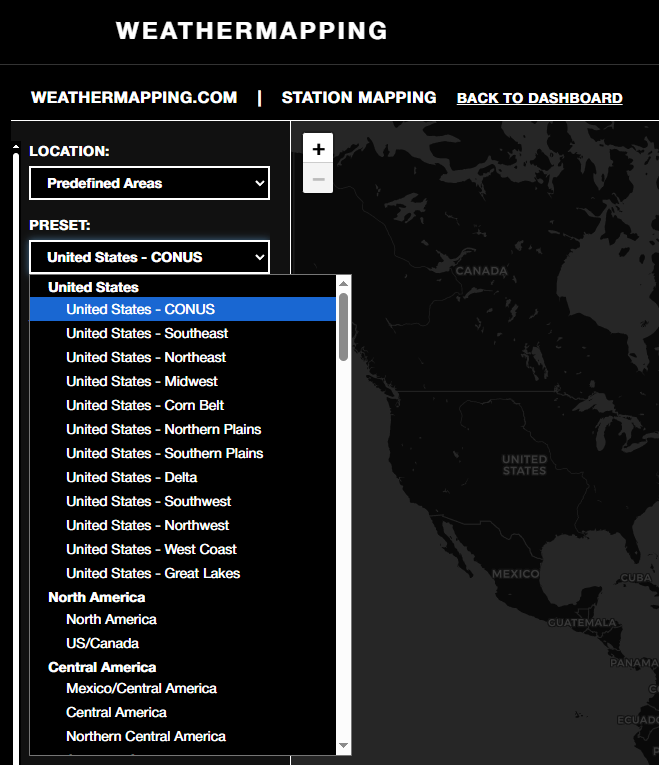
After selecting a mode, WeatherMapping instantly tailors all datasets, maps, and analytics to your chosen location. This design lets users move seamlessly from global overview to hyper-local analysis without changing tools or datasets.
Note: Some smaller countries and islands appear grayed out because they lack enough weather stations to generate a stable interpolated map. Data for these areas still exists and can be accessed through the WeatherDataAI API, which provides full global gridded weather data coverage.