📅WeatherMapping - Date Ranges (Station Mapping Tab)
The Station Mapping module includes two easy ways to control what period of data you’re viewing, the Date Range selector and the Quick Select Date Range menu.
The Date Range input lets you manually choose any start and end dates using a calendar. You can go as far back as January 1, 2000, or forward up to (currently) 15 days ahead, depending on whether you’re viewing observations or forecasts. This is ideal if you want a very specific window for example, comparing rainfall from the start of the month to mid-month totals.
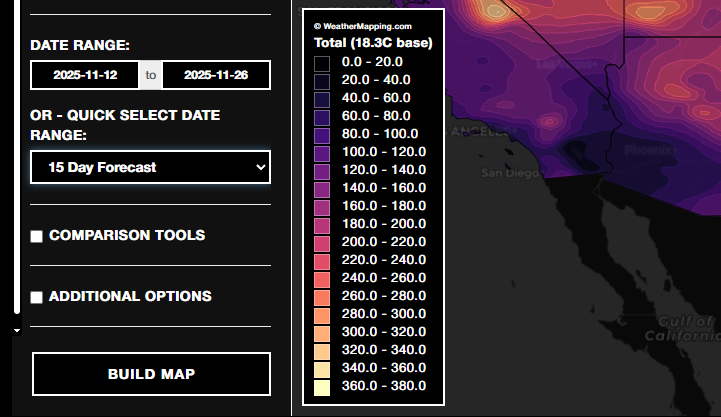
Right below it, the Quick Select Date Range menu offers one-click presets. These include both forecast and observation options. such as 5-Day Forecast, 15-Day Observation, or 90-Day Observation. Selecting one automatically updates the main date range to the matching start and end dates.
Use Forecast options to look ahead, and Observation options to review recent or historical periods. You can still adjust the dates manually afterward if you want finer control.
In short, the quick-select menu is the fastest way to load common date ranges, while the manual picker gives full flexibility for custom analyses. Both work together so you can move seamlessly between short-term forecasts and longer-term observation summaries without re-entering dates each time.