🔐 WeatherMapping - Access & Account Management
To access the WeatherMapping application, simply navigate to the Apps page on weathermapping.com (top right corner button "LOGIN"). On this page enter your username and password, then press Login. You’ll be taken straight into the WeatherMapping app.
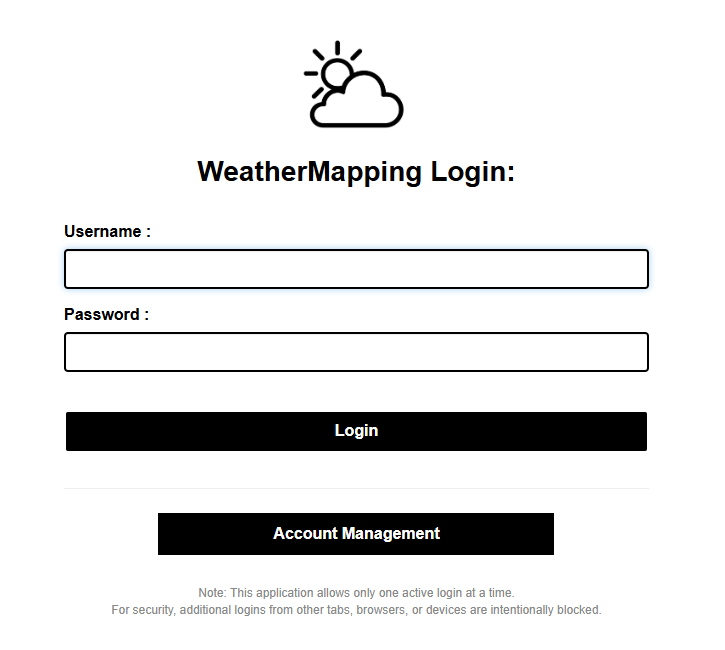
On the login page, you’ll also find a button to access your Account Management page. This button securely redirects you to Stripe, where you can view your current subscription, upgrade or downgrade your plan, update payment details, or cancel your subscription (though we hope you won’t!).
If you’ve forgotten your password, you can reset it directly from the account management page also.
Please note: WeatherMapping allows only one active session per account. Because mapping and data rendering are processor-intensive, this setup ensures every user receives the high-performance experience they’ve paid for. If you try to log in while already signed in elsewhere, you’ll see a message letting you know your account is active on another device.
Incorrect passwords or simultaneous logins will both trigger an error, just re-enter your credentials or log out of other sessions to continue. If you believe you have be session-locked, please reach out to support via the contact page.